
Service & Work Order Management
Manage service requests and work orders from planning through completion in a centralized and traceable structure.
About this module
CHC ONE Service & Work Order Management provides a centralized structure for managing service requests and work orders generated by technical service and field operations. Work orders can be associated with relevant customers, locations, teams, or equipment, while planning, assignment, and process progress can be tracked consistently. Combined with other CHC ONE modules such as Inventory Management, Customer Management, and Work & Request Management, it can provide an integrated structure for technical service, maintenance, and field operations.
Benefits
- Manage service requests and work orders centrally
- Associate work orders with customers, locations, and equipment
- Assign service activities to relevant teams
- Track work order progress consistently
- Manage technical service and field operations in a shared structure
- Use service processes together with inventory and customer records
- Make maintenance and service processes more traceable
- Configure processes for different service operations
Service & Work Order Management
Module Screens
-
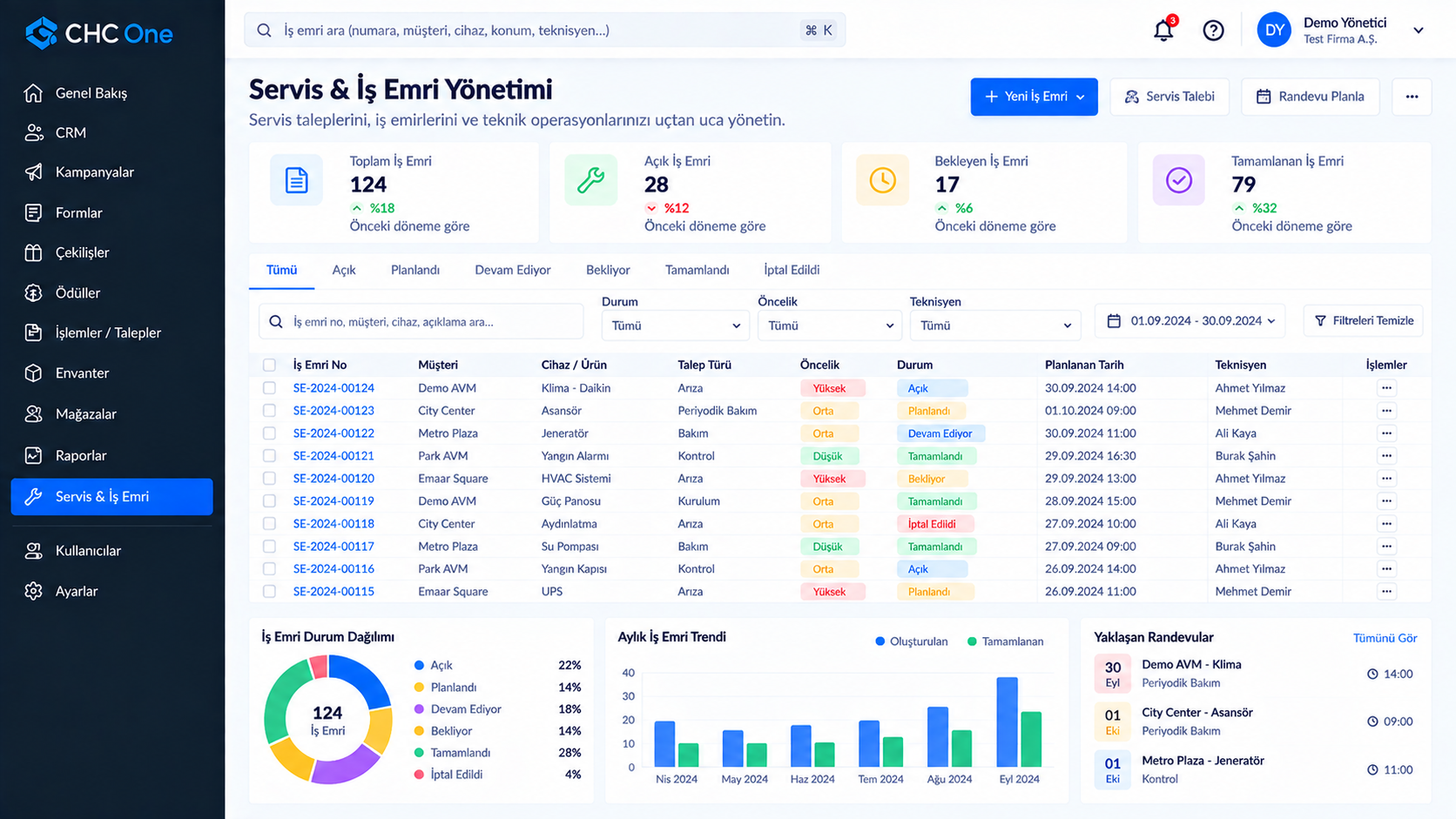
Service & Work Order Management Manage service requests, work orders, technician assignments, and scheduled operations from a centralized workspace.
Records shown on these screens are sample (demo) data.
Together, let’s build the right CHC ONE for your business.
We listen to your needs and plan the most suitable module structure with you.
Platform & security
-
Modular Architecture
Use only the modules you need and expand your platform as your requirements evolve.
-
Secure Infrastructure
Manage your business processes on a centralized platform with authorization and controlled access.
-
Multi-Company
Manage different businesses and organizations on a shared platform infrastructure with a multi-tenant architecture.
-
Expert Support
Get support from the CHC team when needed, from setup through day-to-day use.